PHP versions
Reqad runs several PHP versions side by side and lets you pick one per hosting account. Depending on your server template, PHP runs through PHP-FPM (nginx) or as Apache mod_php — Reqad wires it up for you.
Choose a PHP version per account
Open an account's Edit screen and pick the PHP version from the drop-down. The list shows every PHP version installed on the server. Save, and Reqad reconfigures that account to use the chosen version — no manual config editing.
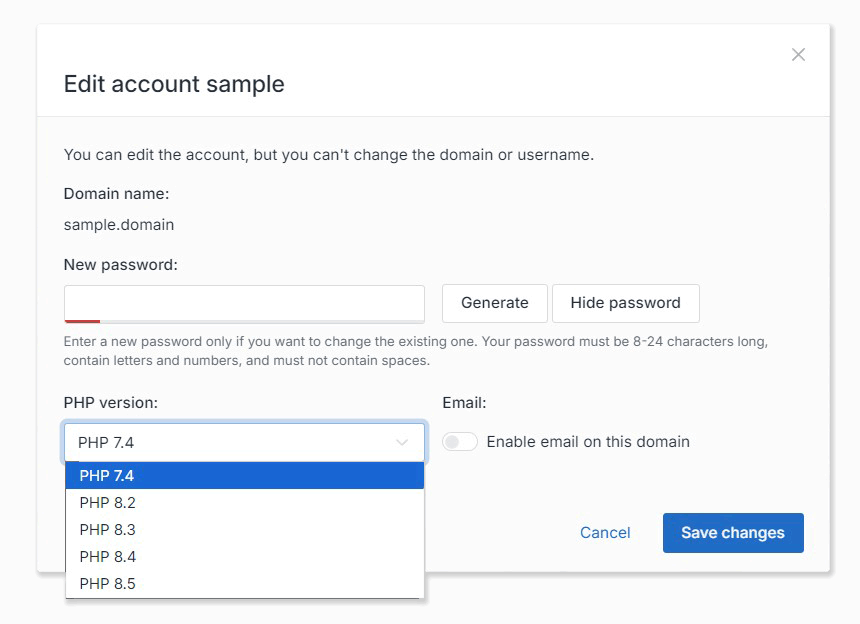
Only installed versions appear in the drop-down. To offer more, install another version first (below).
Install a new PHP version
From PHP settings → PHP Modules, use Install PHP to add a new version. Reqad installs it from the Remi repository — the CLI, the FPM service and a sensible default set of extensions — and streams the live install output to your browser. When it finishes, the new version shows up in the per-account drop-down and in PHP settings.
- Multiple versions live together (e.g. 7.4, 8.2, 8.3), each in its own packages.
- Install or remove individual PHP modules per version from the same screen.
How it runs: nginx + PHP-FPM
On the nginx_php-fpm template, every account runs in its own isolated PHP-FPM pool, as its own Linux user, hardened with open_basedir and a restricted disable_functions set. Switching an account's PHP version moves its pool to the matching PHP-FPM service and reloads it; nginx proxies that account's requests to the pool's socket.
How it runs: Apache (mod_php & PHP-FPM)
On the apache_modphp template, Reqad uses a hybrid approach so you still get per-account versions:
- Accounts on the server's default PHP version run through Apache's mod_php.
- Accounts switched to a different version get a dedicated PHP-FPM pool, and Reqad injects a
SetHandlerinto that account's virtual host so Apache hands PHP to the pool. - Switching back to the default version removes the pool and the
SetHandler; switching between two non-default versions simply moves the pool — no vhost change.
Either way it looks the same to you: choose a version per account, and Reqad sets up the correct handler behind the scenes.
PHP settings
Under PHP settings you can edit common php.ini values per version — memory limit, upload limits, expose_php, the recommended disable_functions set — plus OPcache and APCu tuning. A save to all versions option applies a change across every installed version at once.
Need a hand? Create a free account or contact us.